DevOps Certification Training (Including Docker and Kubernetes)
Start your career as a DevOps Engineer. Gain hands-on experience in Docker, Kubernetes, Ansible, Terraform, Jenkins, Travis CI, Prometheus, Grafana, AWS Elastic Beanstalk, GKE (Google Kubernetes Engine), Linux and Git
As humans, we are immersed in data in our every-day lives. As per IBM, the data doubles every two years on this planet. The value that data holds can only be understood when we can start to identify patterns and trends in the data. Normal computing principles do not work when data becomes huge.
In this course, we will learn to deploy applications to various environment likes testing, staging, and production by building Continuous Integration (CI) and Continuous Delivery (CD) pipelines. Also, we will see end-to-end examples of how to deploy, scale and monitor your application using Docker, Kubernetes, Prometheus and Jenkins.
The course will be completely hands-on and we will make sure to deliver a best-in-class learning experience and provide you with enough knolwedge to start your career as a DevOps Engineer. Also, the course provides sufficient solid foundations to you so that you can start preparing for various certifications like DCA(Docker Certified Associate) and CKAD(Certified Kubernetes Application Developer)
Program Highlights
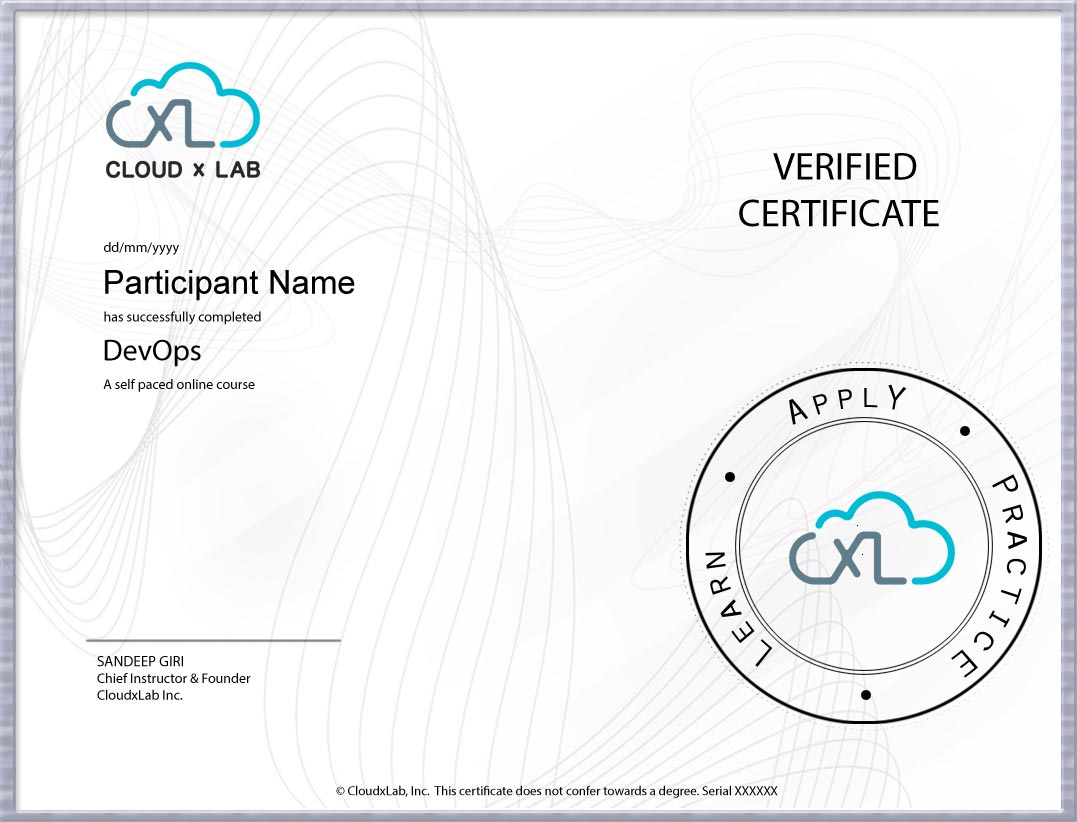
Certificate of Completion by CloudxLab
60+ Hours of Self-Paced Learning
Work on about 6+ projects to get hands-on experience
CloudxLab is a team of developers, engineers, and educators passionate about building innovative products to make learning fun, engaging, and for life. We are a highly motivated team who build fresh and lasting learning experiences for our users. Powered by our innovation processes, we provide a gamified environment where learning is fun and constructive. From creative design to intuitive apps we create a seamless learning experience for our users. We upskill engineers in deep tech - make them employable & future-ready.
Project 1. Deploying Single Container Static App with Docker & Travis CI on AWS Elastic Beanstalk
We will see how to create, dockerize and automate the hosting of a simple static website. In the process, we will learn how to push the code to GitHub, enable Travis to track changes in that repository, deploy on the AWS Elastic Beanstalk using S3 and IAM, host the app on a public domain bought from Google Domains, and configure it with the help of Amazon Route 53.
Project 2. Deploying Multi Container Flask App with Docker & Travis CI on AWS Elastic Beanstalk
We will deploy the multi-container Flask app (Nginx, uWSGI, Redis and PostgreSQL) on AWS Elastic Beanstalk
Project 3. Deploying Single Container Flask app with Docker, Travis CI, AWS RDS & AWS ElastiCache on AWS Elastic Beanstalk
We will deploy the Flask app on AWS Elastic Beanstalk using Docker, RDS(PostgreSQL),ElastiCache(Redis) and Travis CI.
Project 4. Testing Single Container Static App Locally on Minikube
We will understand what is Kubernetes and what is Minikube. As part of the hands-on, we will learn to set up Minikube with VirtualBox in Windows 10 Home system. We will learn various concepts of Kubernetes like pods, deployments, services, and ingress, and have a look at how we could create them in various ways using different commands. We will also deploy the single container static web application - which we have dockerized as part of the Docker, Travis, and AWS project series - and access it using Kubernetes ingress.
Project 5. Deploying Single Container Static App on Google Kubernetes Engine
We will learn how to deploy a static website on the Google Cloud Platform (GCP). It is very highly recommended to go through the project Testing App Locally on MiniKube, as the current project is dependent on that.
Project 6. Automating Deployment of Single Container Static App on Google Kubernetes Engine with Docker & Travis CI
We will see how to automate the process of deploying a static web app onto GKE with the help of a shell executable and Travis-CI.
Project 7. Deploying Multi-Container App on Minikube and GKE
We will understand how to deploy a multi-container application on Minikube and GKE. We will learn about Kubernetes Secrets and Kubernetes Persistent Volume Claim. By the end of this project, we will be able to appreciate the use of MiniKube before deploying an application onto production, like onto Google Kubernetes Engine.
Enroll Now
Prerequisites
Basic knowledge of any programming language and Linux will help you in understanding the concepts faster. We will provide access to our self-paced courses on Python and Linux once you sign up for this course.
Note: In case of a coupon code, discounts will be applicable only on the first EMI
“I have been searching for some crisp course on Devops but with limited understanding of DevOps i had my own doubts and with same i joined CloudX Lab DevOps specialization instructure led course. I really appreciate the way Abhinav has provided insight along with hands on. Although course was planned for approx 8 weekends but to accommodate doubts of all students it got extended for another 6 weeks and Abhinav has all patience and maintained same enthusiasm till the end. 5/5 stars and big thanks to Abhinav’s (Instructor). This course will help a newbie to get understanding of DevOps tools with ease along with real handson. It would be good if you have some coding knowledge however i dont think its mandatory till Abhinav is around. With very few refinements this would be best DevOps Specialization online course as of now.”
Gaurav Gupta
“USP of the course - instructor led training where you get to resolve all your doubts then and there. Our instructor was really very good and used to push us to ask more questions however basic and repetitive it may be. The only motto was the student should be able to learn something new and get their doubts cleared even if it required 1–1 sessions to solve the issue even after the scheduled classes.I was novice into the Devops ecosystem but the way the course is designed, it really helped to understand the concept from the basic and do hands on labs that too in cloud(AWS) env. All industry relevant DevOps tools and techniques are covered from the scratch.It is really worth the time, effort and money.”
Arnab Dutta
“I am happy to rate 10/10 for the DevOps course taught by Ashok Singh. If you are new to DevOps, this course will take you from zero to hero. Instructor has lots of industry experience and he is very knowledgeable in this field. Everyone is encouraged to ask lots of questions during the lesson to solidify understanding, which sets this course apart from other free courses on the Internet.Course content is well structured and covers most of the popular topics in DevOps space. There are numerous labs for every topic and performed on a production grade platform (AWS). The experience gained from these labs are as good as having in-job training. If you are new to AWS, you get to learn various features of AWS as a byproduct.Amazing instructor with passion to pass on knowledge - I think the course is worth time and money.”
Madhu Kayastha
“I had been working mostly on Azure and related development/DevOps for the major part of my career. Recently wanted to try out hands on eco system outside azure and was looking for a course which would get me there.Was skeptical initially when I started the DevOps course considering there where numerous tutorials in YouTube and other channels.>But all my doubts and concerns of the course were eliminated as the instructor Abhinav Singh proceeded with the course. He made sure that each and everyone of the participant were clear about each topic presented and made sure that we were able to do the hands-on. Abhinav personally made sure to keep in touch with the participants during the entire course duration and was just a WhatsApp msg away for any clarifications.All in all, I would highly recommend this course for anyone who wants to try their hands on DevOps either as a career or just to add more skills under their belt”
Manju Nath
“When COVID hit early in this year, I started having quite a bit of disposable free time available during the weekends. I had been thinking about going for some sort of certification or even MS degree courses for a while. Now from my experience with DevOps Certification Training with CloudXLab, I can say that if I could do it all over again I'd go down the boot camp route instead of getting a degree.I was looking to get some hands on experience especially with Docker & Kubernetes. These topics were covered with sufficient details in DevOps Course. Of course learning about all other DevOps Tools such as Ansible, Terraform etc. and how all these components fit in overall end to end CI/CD flow was really good.Abhinav Singh; our cohort instructor; who is extremely knowledgeable, approachable, and always patient, has such an amazing way of teaching. Abhinav had all the patience and passion about what he teaches, ensuring that all students must understand and remain on same page by getting involved with hands-on practice in the class. Abhinav seems to have a lot of industry experience, so he made it a point to explain all important facts with live examples which are highly appreciable.Highly recommend for anyone who wants to learn CI/CD Infra development, albeit with a high dose of self learning efforts.”
Basics Of SQL. You should know the basics of SQL and databases. If you know about filters in SQL, you are expected to understand the course.
A know-how of the basics of programming. If you understand 'loops' in any programming language, and if you are able to create a directory and see what's inside a file from the command line, you are good to get the concepts of this course even if you have not really touched programming for the last 10 years! In addition, we will be providing video classes on the basics of Python and Scala.
We understand that you might need course material for a longer duration to make most out of your subscription. You will get lifetime access to the course material so that you can refer to the course material anytime.
In this course, you will work on real-time projects. You will receive a problem statement along with a data-set to work on CloudxLab. Once you are done with the projects (it will be reviewed by an expert), you will be awarded a certificate which you can share on LinkedIn.
Course requires a good internet connection and a browser to watch videos and do hands-on the lab. We've configured all the tools in the lab so that you can focus on learning and practising in a real-world cluster.
For self-paced course, we provide 100% fees refund if the request is raised within 7 days from enrollment date. Please contact us at reachus@cloudxlab.com to request a refund within the stipulated time. Thereafter, no refund is provided.